imagePROGRAF PRO-510
imagePROGRAF PRO-510
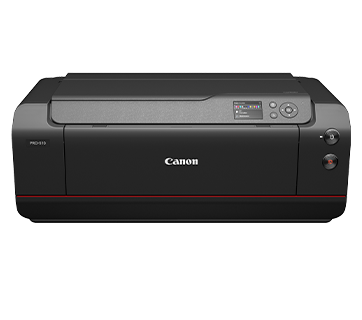
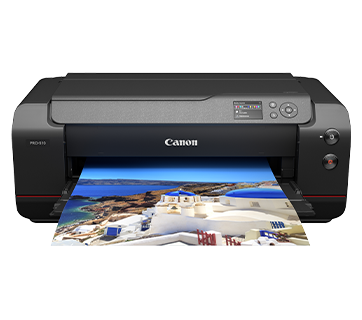
Unleash Photographic Brilliance with the A2 PRO Photo Printer for Large Format Archival Prints. Perfect for exhibition prints and art galleries
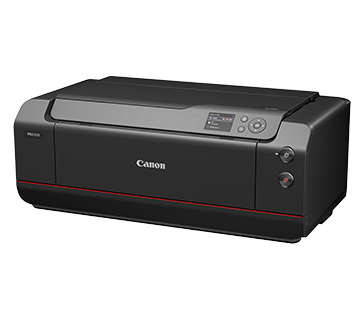
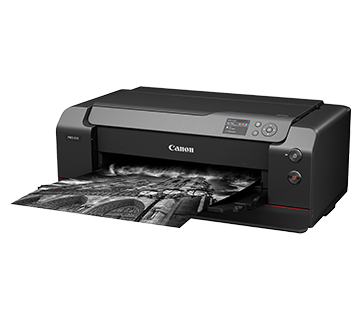
Designed for professional photographers, the imagePROGRAF PRO-510 offers exceptional print quality up to A2 size. Its 12-colour ink system ensures accurate colour reproduction, making it an excellent choice for fine art prints, photography, and graphic design. The pigment-based inks provide longevity and resistance to fading, while the printer’s high resolution ensures sharp details and smooth gradients. Whether you’re printing large-format photos or creating gallery-worthy prints, the PRO-510 delivers impressive results.
Description
Features
12-colour Ink System
Elevate your print with the all new LUCIA PRO II ink. Designed to deliver exceptional colour accuracy and longevity. This advanced ink formulation produces vibrant, highly detailed images with deep blacks and seamless gradients, ensuring your work remains vivid and fade-resistant for years to come.
Colour LCD Display
A 3″ colour LCD display panel allows easy navigation of printer functions as well as monitoring ink level status at a glance, making operation smooth and simple.
Custom Bordered Prints and Panoramas
Beyond the capability to print borderless or customisable margins, PRO-510 empowers your creativity by allowing you to print panoramic images on long paper, with lengths of up to 3 m.
Mobile and Cloud Printing
Print from smartphones, tablets, laptops and cloud storage with the free Canon PRINT and Easy-PhotoPrint Editor apps.
Compatible with Wide Range of Paper Media and Sizes
Aside from genuine Canon media, users can enjoy compatibility with speciality inkjet print media from different paper manufacturers. The inclusion of a rear tray provides a convenient manual feed option for thicker media types, enabling you to experiment with a diverse range of printing materials.
Easy Maintenace
The easy-to-replace maintenance cartridge makes maintenance fuss-free and extends printer lifespan even when printing in high volume.
Specifications
Specifications
|
Print Head/Consumables |
|
|
Number of Nozzles |
Total 18,432 nozzles |
|
Ink Tank (Type/Colours) |
PFI-4810 |
|
Ink Capacity |
80 ml |
|
Level Detection |
Detected by dot count and electrode (empty) |
|
Maintenance Cartridge |
MC-20 |
|
Maximum Printing Resolution |
2,400 (Horizontal)*1 x 1,200 (Vertical) dpi |
|
Print Speed*2(Approx.) |
|
|
Photo (A2) |
8 min 40 sec / 6 min |
|
Photo (A2) |
3 min 40 sec / 6 min |
|
Photo (A2) |
5 min 35 sec / 7 min 30 sec |
|
Photo (A3+) |
2 min 25 sec |
Paper Handling
|
Print Margin |
|
|
Borderless Printing |
Top/Bottom/Left/Right: 0 mm |
|
Bordered Printing |
Printable Area: Recommended Area: |
|
Supported Media |
|
|
Top Tray |
Plain Paper (64 – 105 g/m²) Canon: Others: |
|
Manual Feed |
Canon: Others: |
|
Paper Size |
|
|
Top Tray |
A5, A4, A3, A3+, A2, B5, B4, B3, LTR, LGL, LDR, Hagaki, Return Hagaki, L, 2L, 4 x 6 “, 5 x 7″, 9 x 13″, 11 x 14″, 13 x 19″ Super B, US Photo 16 x 20″, 17 x 22″, 17 x 25″, 7 x 10″, 8 x 10″, 10 x 12″, 12 x 12″, 14 x 17” |
|
Manual Feed |
A4, A3, A3+, A2, B4, B3, LTR, LGL, LDR, 9 x 13″, 11 x 14″, 13 x 19″ Super B, US Photo 16 x 20″, 17 x 22″, 17 x 25″, 8 x 10″, 10 x 12″, 12 x 12″, 14 x 17″ |
|
Borderless Printing |
A4, A3, A3+, A2, B4, LGL, LTR, Hagaki, L, 2L, 4 x 6″, 5 x 7″, 13 x 19″ Super B, 17 x 22″, 17 x 25″, 8 x 10″, 10 x 12″, 14 x 17″, 210 x 594 mm |
|
Paper Thickness |
|
|
Top Tray |
0.1 – 0.3 mm: |
|
Manual Feed |
0.1 – 0.7 mm: |
|
Paper Width |
|
|
Top Tray |
89 – 432 mm |
|
Manual Feed |
203.2 – 432 mm |
|
Minimum Printable Paper Length |
|
|
Top Tray |
127 mm |
|
Manual Feed |
254 mm |
|
Maximum Printable Paper Length |
3,276.7 mm |
|
Media Storage Capacity (Max.) |
35 |
|
Maximum Capacity |
|
|
Top Tray |
Plain Paper: Photo Paper Plus Glossy (PP-201): Photo Paper Plus Glossy (PP-208): Photo Paper Plus Semi-Gloss (SG-201): Matte Photo Paper (MP-101): Photo Paper Pro Platinum (PT-101): Photo Paper Pro Luster (LU-101): |
|
Manual Feed |
Photo Paper Plus Glossy II (PP-201, PP-208): Matte Photo Paper (MP-101): Photo Paper Pro Luster (LU-101)/
Premium Fine Art Rough (FA-RG1)/ |
Network
|
Protocol |
SNMP, HTTP, TCP/IP (IPv4/IPv6) |
|
Wired LAN |
|
|
Type |
IEEE 802.3ab (1000BASE-T) / IEEE 802.3u (100BASE-TX) / IEEE 802.3 (10BASE-T) |
|
Data Rate |
1,000 Mbps / 100 Mbps / 10 Mbps (auto switchable) |
|
Security |
IEEE 802.1X (EAP-TLS/EAP-TTLS/PEAP) |
|
Wireless LAN |
|
|
Type |
IEEE 802.11b/g/n |
|
Security |
WPA-PSK (AES) |
|
Direct Connection (Wireless LAN) |
Available |
Printing Solutions
|
Canon Printing Apps |
|
|
Mobile |
Canon PRINT, Easy-PhotoPrint Editor |
|
Others |
PosterArtist Lite, PosterArtist (Web), Professional Print & Layout, Media Configuration Tool, Easy-Layout Editor |
|
Mobile/Cloud Printing Solutions |
AirPrint®, Mopria® Print Service, Canon Print Service (Android), Wireless Direct, Cloud Integration Service (via smartphone/tablet) |
System Requirement
|
OS System Compatibility*4 |
Windows 11 / 10 / 8.1 / 7 SP1, |
General Specifications
Operation Panel |
|
| Display | 3.0″ Colour LCD Display |
Interface |
USB 2.0 |
| Operating Environment*5 | |
| Temperature | 5 – 35°C |
| Humidity | 10 – 90% RH (no dew condensation) |
| Recommended Environment*6 | |
| Temperature | 15 – 30°C |
| Humidity | 10 – 80% RH (no dew condensation) |
| Storage Environment | |
| Temperature | 0 – 40°C |
| Humidity | 5 – 95% RH (no dew condensation) |
| Quiet Mode | Available |
| Acoustic Noise (PC Print) | |
| Photo Paper Pro Platinum, PT-101 (4 x 6″, Colour Borderless) |
43.0 dB(A) |
| Power Requirements | AC 100 – 240 V, 50/60 Hz |
| Power Consumption (Approx.) | |
| OFF | 0.1 W |
| Standby (Sleep) | 1.2 W |
| Operation | 38 W |
| Dimensions (WxDxH) | |
| Factory Configuration | 723 x 435 x 285 mm |
| Weight | 32.4 kg |
Page Yield*7
Photo Paper (LU-101) Click here for more information |
A2 Mono*8 PFI-4810 MBK: 1,310 sheets PFI-4810 PBK: 170 sheets PFI-4810 GY: 90 sheets PFI-4810 PGY: 230 sheets PFI-4810 PC: 1,160 sheets PFI-4810 C: 700 sheets PFI-4810 PM: 960 sheets PFI-4810 M: 1,430 sheets PFI-4810 Y: 1,070 sheets PFI-4810 R: 1,970 sheets PFI-4810 B: 830 sheets PFI-4810 CO: 480 sheets A2 Colour*8 A3+ Colour*8 |
- Ink droplets can be placed with a pitch of 1/2,400 inch at minimum.
- Print speed is based on the default setting using ISO/JIS-SCID N5 and does not take into account data processing time on host computer. Print speed may vary depending on system configuration, interface, software, document complexity, print mode, page coverage, type of paper used etc.
- Available with IEEE 802.1X (EAP-TLS/EAP-TTLS/PEAP).
- Please visit https://asia.canon/support to check OS compatibility and to download the latest driver updates.
- The performance of the printer may be reduced under certain temperature and humidity conditions.
- For the temperature and humidity conditions of papers such as photo paper, refer to the paper’s packaging or the supplied instructions.
- Page yields may vary depending on content coverage, print settings, temperature, humidity, and frequency of printing.
- Declared yield value is the estimated value based on Canon individual test method using the ISO/IEC 29103 chart.
Disclaimer |
|